
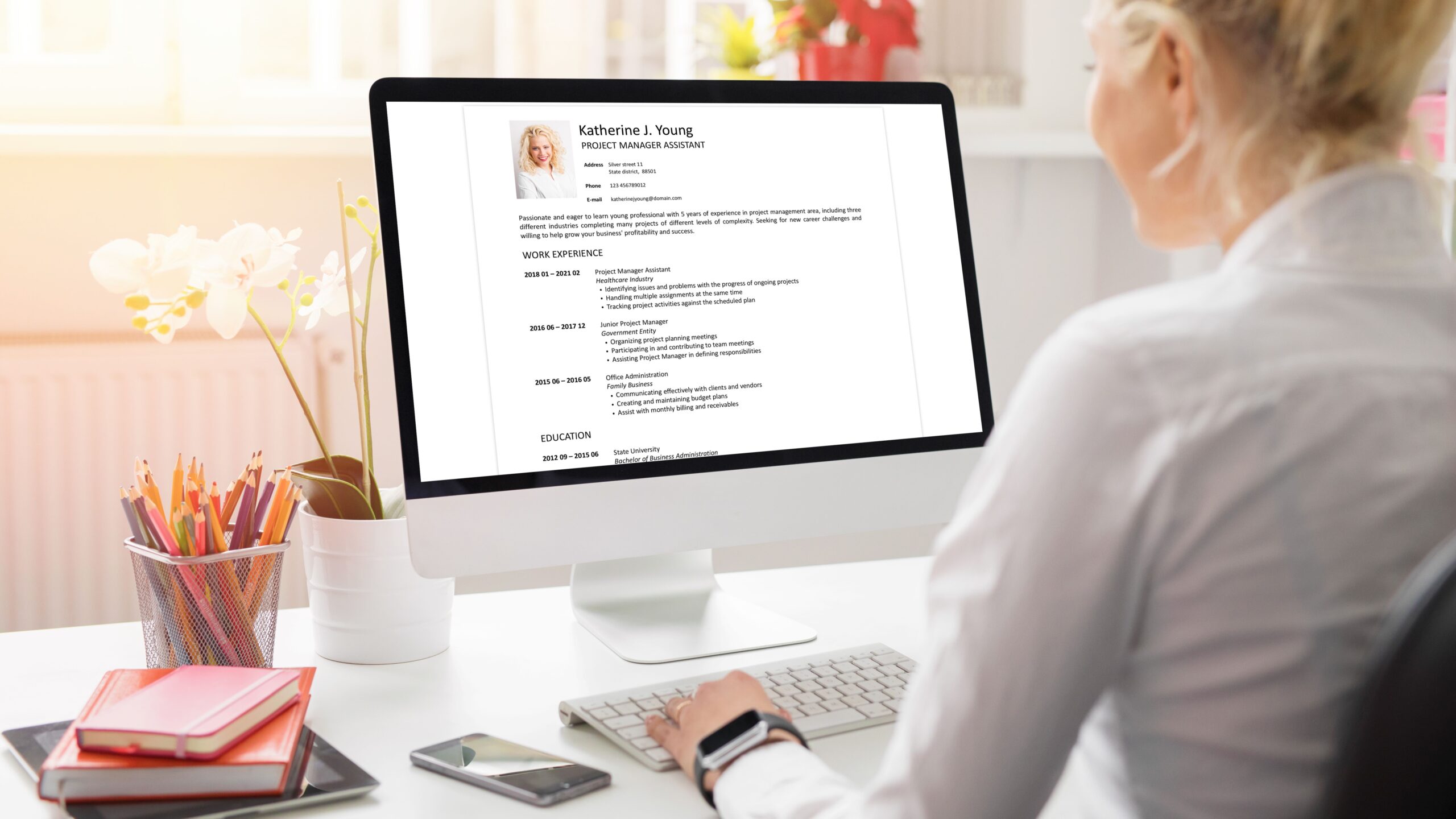
Let’s be honest — in today’s competitive job market, every little detail on your resume counts. That tiny photo in the corner? It might seem minor, but it can make a massive difference. A professional-looking photo can create a strong first impression, showing potential employers you’re serious, polished, and ready to represent their brand. But how do you snap a photo that looks like it belongs on a professional resume, not just a random selfie? If you’re wondering how to nail that perfect shot without spending a fortune or hiring a fancy photographer, you’re in the right place. This guide will walk you through everything you need to know to take a resume photo that boosts your chances of landing that dream job.
Understanding the Importance of a Resume Photo
Before diving into the technical details of taking a resume photo, it’s essential to understand why having one matters and when it should be included. A resume photo can be much more than just a simple image; it’s often the first visual impression a potential employer gets of you. This picture can subtly communicate professionalism, confidence, and approachability—qualities that can set you apart from other candidates. In many cases, a well-chosen photo adds a personal touch, making your resume memorable and helping recruiters put a face to the skills and experiences listed.
However, the relevance and appropriateness of including a photo on a resume vary widely depending on geographic location and industry norms. In many European and Asian countries, attaching a photo is customary and sometimes even expected, as it helps employers quickly identify candidates and personalize the recruitment process. Conversely, in countries like the United States or the United Kingdom, including a photo is less common and sometimes actively discouraged. This hesitation stems largely from concerns about unconscious bias or discrimination that might arise based on appearance, gender, or ethnicity.
Knowing when to include a photo on your resume requires careful consideration of these cultural and professional contexts. If you’re applying in a region where photos are standard or for roles where presentation and personal appearance play a significant role—such as customer-facing positions, sales, or media-related jobs—it generally makes sense to include a professional image. It signals that you understand the industry’s expectations and are confident in your professional presentation. On the other hand, if the job is in a place where photos are uncommon or the employer explicitly advises against it, leaving the photo out is the safer choice to avoid potential biases and keep the focus on your qualifications.
If you’re ever uncertain about whether to include a photo, the best approach is to research the company’s culture or directly ask the recruiter. Each organization has its own preferences and policies, and showing that you’re mindful of these details already demonstrates your professionalism. Ultimately, a resume photo is a tool, and like any tool, it should be used wisely and in the right context to make the best possible impression.
Preparing for Your Resume Photo Shoot
| Aspect | Key Tips | What to Avoid | Why It Matters | Examples |
| Clothing | Wear solid, classic colors like navy, gray, white | Loud patterns, flashy colors | Keeps focus on your face and looks professional | Navy blazer, white shirt |
| Accessories | Keep minimal and subtle | Large jewelry or distracting pieces | Prevents distraction, looks neat | Small earrings, simple watch |
| Hair | Clean, neat, and simply styled | Messy or overly styled hair | Enhances your polished appearance | Comb hair back, simple parting |
| Makeup | Natural, subtle enhancement | Heavy or theatrical makeup | Highlights features without overpowering | Light foundation, neutral tones |
| Facial Hair | Trimmed and tidy | Unkempt beard or mustache | Maintains a clean and professional look | Neatly trimmed beard |
| Facial Expression | Gentle smile, relaxed and confident | Forced smile or serious glare | Projects approachability and confidence | Slight smile with relaxed eyes |
Setting Up the Perfect Background and Lighting
Getting your background and lighting right is a game-changer when it comes to taking a professional resume photo. Even the best outfit and grooming won’t save a picture if the environment looks messy or the lighting is harsh. Setting the scene properly ensures your face is the star of the photo and everything looks clean and polished. Here’s a detailed list to guide you through the process:
- Choose a neutral, plain background that won’t distract from your face. Ideal colors include white, off-white, light gray, or soft pastel shades. These tones create a clean and professional look that highlights you without competing for attention.
- Avoid backgrounds that are cluttered or busy, such as messy rooms, patterned walls, or crowded office spaces. Visual noise in the background can make your photo look chaotic and unprofessional.
- Opt for a solid-colored wall or use a seamless backdrop if you have access to one. These options give your photo a studio-like feel, instantly upgrading the quality and making your image look well-crafted.
- Use natural light whenever possible because it creates soft, flattering illumination that brings out your best features. Position yourself facing a window so the daylight gently lights your face evenly.
- Avoid standing with your back to the light source to prevent harsh shadows or a silhouette effect that obscures your features. Proper light direction is crucial for clarity and professionalism.
- If natural light is scarce or you’re shooting indoors, supplement with a lamp that has a soft white bulb to mimic daylight. Avoid using harsh overhead lights, which can cast unflattering shadows.
- Do not use your camera’s or phone’s flash, as it often causes red-eye, glare, or shiny spots on your skin. Flash also tends to flatten your features, making the photo less natural and inviting.
- Make sure your face is evenly lit without strong contrasts or dark areas. Balanced lighting highlights your expressions clearly and helps convey warmth and confidence.
- Test different times of day for natural light; morning or late afternoon often provides the best soft light, while midday sun can be too harsh.
- Position yourself about 3-5 feet away from the background to avoid shadows falling directly behind you and to add a subtle depth to the photo.
- Use reflectors if available — even a plain white sheet or cardboard can bounce light back onto your face, reducing shadows and brightening your appearance.
How to Capture the Photo
Now that you’ve prepped yourself and your environment, it’s time to capture the photo that will represent you professionally. You don’t need fancy or expensive equipment to get a high-quality image. Today’s smartphones often come with cameras that rival professional gear in terms of clarity and detail. Using the rear camera instead of the front selfie lens will generally give you better resolution and color accuracy, so it’s a simple but effective way to boost your photo’s quality without extra cost.
Keeping the camera steady is essential to avoid blurry images that look rushed or unprofessional. If you don’t have a tripod, you can get creative with household items like stacks of books or stable surfaces to prop your phone on. Many smartphones have built-in timers or remote shutter options that allow you to set up the shot and then step into position without the worry of shaky selfies. These little tools ensure your photo looks polished and stable, which reflects well on your attention to detail.
When it comes to framing and composition, the focus should always be on your face and upper shoulders. Cropping the photo just below the shoulders keeps the image professional and uncluttered, avoiding distractions from your body or background. Positioning the camera at eye level or slightly above helps avoid unflattering angles and makes the photo feel more natural and engaging. Being centered in the frame with your posture straight and relaxed signals confidence and approachability.
Posture plays a bigger role than many realize in how the final photo is perceived. Sitting or standing upright with your shoulders relaxed creates a balanced, inviting look that feels authentic. Avoid slouching or stiff poses, which can make you seem tense or uncomfortable. The right combination of equipment, steady setup, careful framing, and confident posture will help you capture a photo that truly enhances your resume and leaves a positive impression.
What Expression Should You Wear?
| Expression Type | Description | When to Use | What to Avoid | Tips for Getting It Right |
| Genuine Smile | Warm, subtle smile showing confidence | Most professional roles, customer-facing jobs | Forced or exaggerated grins | Practice in front of a mirror, keep it relaxed |
| Neutral Expression | Calm, soft eyes, relaxed face | Formal or serious roles | Frowning, tense or blank stares | Relax your face, focus on gentle eye contact |
| No Smile | Straight face without emotion | Very formal industries (law, finance) | Stern or intimidating looks | Keep eyes soft, avoid tightening jaw |
| Friendly Smile | Open smile with slight teeth showing | Creative or casual industries | Overly broad or goofy smiles | Keep it natural, think of something pleasant |
| Confident Look | Slight smile with direct gaze | Leadership or managerial roles | Avoid looking distracted or unsure | Maintain good posture, steady gaze |
Final Touches: Editing Your Photo
After you’ve taken your resume photo, polishing it with some careful editing can really make it shine. Editing doesn’t mean changing who you are — it’s about enhancing your natural look and making sure the photo appears clear, balanced, and professional. Here’s a detailed and extensive list of editing steps and tips to guide you through the process:
- Adjust the brightness so your face is clearly visible without being washed out or too dark.
- Modify the contrast to give your photo depth, helping your features stand out more distinctly.
- Crop the image precisely to include your head and shoulders, removing any unnecessary background distractions.
- Use subtle retouching tools to remove temporary skin blemishes, stray hairs, or minor imperfections.
- Avoid heavy retouching or airbrushing that alters your natural appearance — authenticity is key.
- Maintain natural skin tones by steering clear of filters that overly change colors or add unnatural hues.
- Keep the overall color balance neutral and true to life to preserve professionalism.
- Ensure the photo’s sharpness and detail remain intact; don’t over-smooth or blur your features.
- Save the image in a high-resolution format such as JPEG or PNG to maintain quality when printed or uploaded.
- Preview your edited photo on different devices (computer, phone, tablet) to ensure consistent quality and appearance.
- Back up your original photo before editing, so you have the unaltered version if needed.
- Use cropping tools to center your face properly in the frame for a balanced composition.
- Check the lighting balance again in editing; sometimes tweaking shadows or highlights can improve facial clarity.
- Avoid using artistic or heavy Instagram-style filters that may look unprofessional.
- Use simple tools to correct minor color casts caused by artificial lighting.
- If your photo appears too warm or cool, adjust the white balance to get a neutral look.
- Consider softening harsh shadows on your face with gentle editing, but avoid flattening your features.
- If you use software like Adobe Lightroom, explore features like spot removal for blemishes and clarity for subtle enhancements.
- For mobile editing, apps like Snapseed offer user-friendly tools like healing brush and selective adjustments.
- Canva is ideal for quick cropping, brightness, and contrast adjustments without overwhelming options.
- Test different versions of your edits and ask a trusted friend for feedback on which looks most natural and professional.
Common Mistakes to Avoid
When taking a professional resume photo, avoiding common pitfalls is just as important as following best practices. One of the biggest mistakes is using a casual selfie or an informal snapshot. While smartphones have great cameras, selfies often lack the proper framing, lighting, and posture needed for a polished, professional look. Casual photos can give the impression that you haven’t put enough effort into your application, which may work against you in a competitive job market.
Another frequent error is overdoing makeup or excessive photo editing. While it’s important to look your best, heavy makeup can appear unnatural and distracting in a professional setting. Similarly, too much editing or retouching can make your photo look artificial or insincere, which can undermine the trustworthiness employers look for. The goal is to enhance your natural features subtly, not to transform your appearance drastically.
Choosing your outfit and accessories wisely is crucial, but many candidates fall into the trap of wearing distracting clothes or flashy jewelry. Bright patterns, bold colors, or large accessories tend to steal the focus away from your face and give off an unprofessional vibe. The photo’s purpose is to highlight you as a candidate, so keeping clothing simple and accessories minimal helps maintain the right balance.
Finally, poor lighting and background choices can ruin an otherwise great photo. Harsh shadows, glare, or uneven lighting can create unflattering effects that obscure your features. Similarly, busy or inappropriate backgrounds — such as cluttered rooms or overly colorful walls — distract the viewer and make your photo look amateurish. Along with these technical issues, unnatural facial expressions, like forced smiles or tense looks, can make you seem unapproachable or uncomfortable. Avoiding these common mistakes helps ensure your resume photo presents you in the best possible light.