
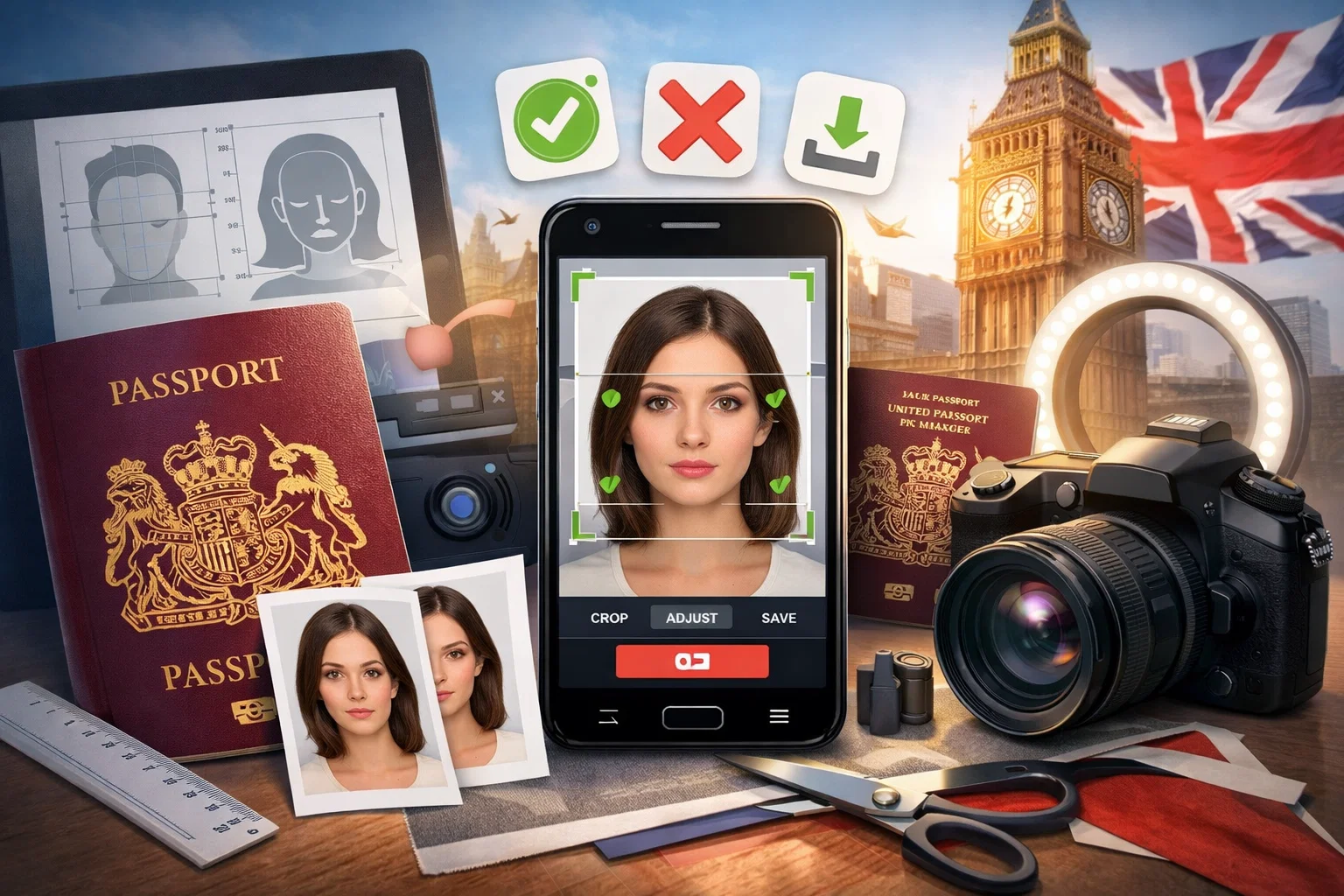
Every year, an estimated 80,000 UK passport applications are delayed because of a single, entirely avoidable problem: a non-compliant photo. According to data from passport application specialists, roughly 1 in 5 online submissions face hold-ups due to poor image quality, wrong backgrounds, incorrect cropping, or facial expression issues. The result? Weeks of unnecessary waiting, potential travel disruptions, and the frustration of resubmitting — sometimes more than once.
The good news is that this is a completely solvable problem. A new generation of smartphone apps and online tools has made it easier than ever to produce a passport photo that meets the exacting standards of HM Passport Office (HMPO) — without visiting a photo booth, queuing at a chemist, or paying over the odds at a high-street studio.
But not all passport photo apps are created equal. Some use AI-powered compliance checks. Others rely on manual cropping and leave the hard work to you. A handful offer official digital photo codes (IDPC) that plug directly into the GOV.UK online passport application. Many promise HMPO compliance — few can genuinely guarantee it.
This guide cuts through the noise. We’ve researched and evaluated eight of the most widely used UK passport photo apps and services available in 2025, rating each one against a consistent set of criteria: compliance accuracy, ease of use, photo code availability, pricing, acceptance guarantees, and real-world user feedback. Whether you’re renewing your passport, applying for the first time, photographing a baby, or applying from abroad as an expat, this article will point you to the right tool for your exact situation.
By the end, you’ll know:
- Exactly what HMPO requires from a compliant passport photo in 2025
- What a digital photo code is — and why it matters more than most applicants realise
- Which app offers the best combination of accuracy, speed, and value
- How to take the perfect passport photo at home, regardless of which app you use
- What special rules apply to children, babies, and UK citizens overseas
Let’s start with what actually makes a passport photo acceptable to HM Passport Office — because without this foundation, no app in the world will save a fundamentally flawed image.
What Makes a Passport Photo HMPO-Compliant? The Full 2026 Requirements
Before evaluating any app, you need to understand the rules the app is supposed to enforce. HM Passport Office operates one of the strictest biometric photo standards in the world. This is deliberate — passport photos feed directly into facial recognition systems used at UK and international border controls, and any deviation from the specification can corrupt the biometric data stored on your passport chip.
The following requirements apply to all UK passport photos submitted in 2026, whether printed or digital.
Size & Dimensions
For printed photos, the image must measure exactly 45mm high by 35mm wide. This is non-negotiable — photos that are even slightly over or under this specification will be rejected. Within that frame, your face (measured from the bottom of the chin to the crown of the head) must occupy between 29mm and 34mm of the total height, meaning your face should fill roughly 70–80% of the frame.
For digital photos submitted via the GOV.UK online application portal, the file must:
- Be in JPEG or PNG format only
- Be a minimum of 50KB and no larger than 10MB in file size
- Have a minimum resolution of 600 DPI — a requirement HMPO increased in recent years specifically to improve the accuracy of facial recognition software
- Be in colour (black and white photos are never accepted)
Background Requirements
The background must be plain and light-coloured — specifically white, cream, or light grey. HMPO guidance is clear that:
- Patterned backgrounds (wallpaper, textured fabric, curtains) are always rejected
- Shadows cast on the background behind you, or across your face, are grounds for automatic rejection
- Objects visible in the background — furniture, plants, other people, pets — will cause immediate failure
- Outdoor backgrounds are not accepted under any circumstances
HMPO guidance explicitly states it cannot accept photos with white, grey, or black bars visible at the edges — a common artefact produced by poorly cropped or automatically formatted images. This catches out many applicants who use basic editing tools rather than purpose-built passport photo software.
The practical implication: stand at least one metre away from any wall when taking your photo, to prevent your shadow falling onto the background behind you.
Facial Expression & Head Position
This is where a surprising number of applicants trip up. HMPO requires:
- A neutral expression with your mouth closed — no smiling, frowning, or raised eyebrows
- Both eyes fully open and clearly visible, looking directly into the camera
- Your head straight and level — no tilting, turning, or angling to either side
- Your full face visible, from chin to the top of the head, with no hair obscuring the features
- No red-eye — this is an automatic rejection trigger in the digital scanning system
Your head and shoulders should both be visible and centred in the frame. Portrait mode on smartphones is explicitly not acceptable for passport photos, as the depth-of-field blurring it creates interferes with biometric processing.
Glasses, Headwear & Accessories
The rules here are strict and frequently misunderstood:
- Glasses are not permitted in UK passport photos unless there is a specific medical reason that makes their removal impossible — and even then, there must be no glare, tinted lenses, or frames crossing the eyes
- Hats and head coverings are only permitted for genuine religious or medical reasons, and the full face must remain visible from chin to forehead
- Hair accessories, large jewellery, and decorative headbands must be removed if they obscure any part of the face
- Heavy makeup that significantly alters the appearance is not acceptable
- Temporary religious bindis created with jewels or stickers are explicitly rejected by HMPO examiners, though permanent bindis are accepted
Photo Quality & Technical Standards
Beyond composition, the technical quality of the image itself must meet specific standards:
- The photo must be in sharp focus with strong definition between the face and background
- Blurry, pixelated, or grainy images are automatically rejected
- The image must be evenly lit — no harsh shadows under the chin or around the eyes
- Flash photography is discouraged, as it can create glare, uneven lighting, or red-eye
- The photo must have been taken within the last month — HMPO will reject images that appear significantly different from the applicant’s current appearance, regardless of when they were taken
- No digital filters, colour adjustments, or retouching of any kind — even minor brightness or contrast corrections can constitute grounds for rejection
Special Rules for Children & Babies
Children’s photos must meet the same core standards as adults, but with a handful of age-specific exceptions:
- Children under 6 do not need to look directly at the camera or maintain a strictly neutral expression
- Babies under 1 do not need to have their eyes open or their mouth closed
- For very young babies, a supporting hand may appear in the frame, but must not be visible over the face
- Children must always be photographed alone — no parent, guardian, or toy should be visible in the image
- The background must still be plain white for children’s passport photos — this requirement is actually stricter for children than for adults
These exceptions make baby and toddler passport photos genuinely challenging to capture correctly, which is one of the strongest arguments for using a purpose-built app with guided framing assistance.
The Digital Photo Code: A Game-Changer for Online Applications
Since HMPO introduced the Identity Document Photo Code (IDPC) system, applicants who apply for a UK passport online have a significantly better option than simply uploading an image file. When a certified photo provider — whether a high-street shop, photo booth, or approved app — takes and verifies your photo, they generate a unique alphanumeric code that is securely linked to your stored digital image.
You simply enter this code during your GOV.UK online passport application, and HMPO retrieves the photo directly from the provider’s secure server. The key advantages:
- The photo is pre-verified for compliance before it ever reaches HMPO
- It eliminates the risk of upload errors or file format issues
- Studies and service providers report 90–98% acceptance rates for photo-code submissions, compared to significantly lower rates for self-uploaded images
- It removes the need to handle image files at all — no downloading, resizing, or emailing
Not every app on this list offers digital photo codes. This distinction will be a key factor in our rankings — because for anyone applying for a UK passport online in 2026, a photo code is not just a nice-to-have. It is the most reliable route to first-time acceptance.
✅ Quick-Reference HMPO Compliance Checklist
| Requirement | Specification |
| Print dimensions | 45mm × 35mm |
| Face height | 29–34mm (chin to crown) |
| Background | Plain white, cream, or light grey |
| File format (digital) | JPEG or PNG |
| File size (digital) | 50KB – 10MB |
| Resolution | Minimum 600 DPI |
| Expression | Neutral, mouth closed |
| Eyes | Open, looking at camera |
| Glasses | Not permitted (medical exception only) |
| Recency | Taken within the last month |
| Filters/retouching | Not permitted |
| Colour | Must be in colour |
With a firm grasp of what HMPO actually demands, we can now turn to how we evaluated the apps — and what criteria separated the genuinely reliable tools from the ones that merely look the part.
How We Ranked These Apps: Our Evaluation Criteria
With dozens of passport photo apps and online services competing for UK applicants’ attention in 2026, the challenge is not finding options — it is knowing which ones to trust. Marketing claims are easy to make. “100% HMPO compliant”, “guaranteed acceptance”, and “AI-powered verification” appear on almost every service’s homepage. What matters is whether those claims hold up under scrutiny.
To produce a ranking that is genuinely useful rather than superficially impressive, we evaluated every app and service on the list against seven distinct criteria. Each criterion was chosen because it directly affects the outcome that matters most to you: submitting a passport photo that is accepted by HM Passport Office on the first attempt, with minimum cost, effort, and stress.
Here is exactly how we assessed each tool.
- 🎯 HMPO Compliance Accuracy
This is the most important criterion by a considerable margin. An app can be beautifully designed, lightning fast, and competitively priced — but if the photos it produces are rejected by HMPO, it has failed at its only meaningful task.
We assessed compliance accuracy by examining:
- Whether the app enforces the correct dimensions and face-height ratios (45mm × 35mm; face occupying 70–80% of the frame)
- Whether background removal and replacement produces a clean, shadow-free, plain light background
- Whether the app detects and flags expression errors, head tilt, red-eye, and glasses
- Whether the final output meets the 600 DPI resolution standard and file size requirements for digital submissions
- Whether the service uses AI verification alone, or combines it with human expert review — a meaningful distinction in terms of final accuracy
Apps that rely solely on automated AI checks received lower compliance scores than those pairing AI with a human review step, because HMPO examiners themselves apply a degree of contextual judgement that current AI systems cannot fully replicate.
- 📱 Ease of Use
A passport photo app is only valuable if the average person — not just a tech-savvy user — can operate it successfully on the first attempt. We assessed ease of use across three dimensions:
- Onboarding: How quickly can a new user understand what to do and take their first photo?
- Guidance quality: Does the app provide clear, real-time feedback on framing, lighting, and expression before the photo is taken — or does it only flag problems after the fact?
- Process length: How many steps does it take from opening the app to receiving a usable, compliant image?
Apps that guided users proactively — with on-screen overlays, real-time positioning feedback, and step-by-step lighting tips — scored significantly higher than those requiring users to take a photo and then navigate a lengthy manual editing process.
- 🔑 Digital Photo Code (IDPC) Availability
As established in the previous section, the IDPC system represents the gold standard for submitting passport photos via the GOV.UK online application. Apps and services that generate an official digital photo code received a significant ranking boost, because this feature directly improves first-time acceptance rates and simplifies the application process in a meaningful, measurable way.
We specifically assessed:
- Whether the service is a certified IDPC provider registered with HMPO
- How quickly the code is delivered after photo submission
- Whether the code is compatible with the live GOV.UK passport application portal
- Whether the provider offers any recourse if the code-linked photo is subsequently rejected
Services that do not provide photo codes were not disqualified from the ranking, but their scores in this category were capped — reflecting the real-world limitation this places on UK online applicants.
- 💷 Pricing & Value
Passport photo apps span a wide pricing range, from genuinely free tools to paid services costing upwards of £10–£15. Price alone tells you very little — what matters is value relative to outcome reliability.
Our pricing assessment considered:
- The total cost to obtain a fully compliant, downloadable digital photo (including any mandatory upsells or premium tiers required to access compliance checking)
- Whether a free tier exists and what it realistically delivers — many apps advertise as free but require payment to access the features that actually make a photo compliant
- The cost of printed photo delivery for applicants who need physical copies
- Whether pricing is transparent upfront, or revealed only after the user has invested time in the process
- Value for money relative to the alternatives — a high-street photo booth typically costs £8–£15 in the UK, which provides a useful benchmark
- 🛡️ Acceptance Guarantee & Rejection Policy
An acceptance guarantee is one of the clearest signals of a service’s confidence in its own compliance accuracy. We looked specifically at:
- Whether the service offers a formal acceptance guarantee — a commitment to either reprocess your photo or issue a refund if HMPO rejects it
- The terms and conditions of that guarantee — some services bury significant caveats (for example, requiring proof of rejection within a narrow timeframe, or excluding certain document types)
- The strength of the financial guarantee — a 200% money-back guarantee is meaningfully stronger than a simple re-do offer, as it signals genuine financial accountability
- Customer reviews relating specifically to rejection and refund experiences, which often reveal how generous these guarantees are in practice versus in marketing copy
Services with no acceptance guarantee, or with heavily caveated guarantees that are difficult to claim in practice, scored lower in this category regardless of their other merits.
- 📲 Platform Availability & Accessibility
A passport photo tool is only useful if you can actually access it on your device. We assessed:
- iOS availability — is there a dedicated iPhone/iPad app, or web-only access?
- Android availability — is there a native Android app?
- Web browser access — can the service be used on a desktop or laptop without installing anything?
- Accessibility for non-smartphone users — some applicants, particularly older users or those applying on behalf of elderly relatives, may prefer a desktop-based workflow
- International accessibility — relevant for UK expats applying from overseas, who represent a disproportionately high share of photo rejection cases due to using local booths calibrated to different national standards
Services available across all three platforms (iOS, Android, and web) scored highest, as they impose no barriers based on the user’s choice of device.
- ⭐ Real-World User Feedback & Trust Signals
Marketing claims are self-serving by nature. To ground our evaluation in real-world outcomes, we analysed user reviews from Trustpilot, the Apple App Store, and Google Play, focusing specifically on:
- Overall rating and volume of reviews — a high rating based on thousands of reviews is more meaningful than a perfect score from a small sample
- Patterns in negative reviews — recurring complaints about rejection rates, billing issues, slow delivery, or poor customer service are strong indicators of systemic problems
- Response quality from the service — how a company handles negative reviews publicly reveals a great deal about its actual customer service culture
- Independent third-party mentions — coverage in consumer tech publications, photography communities, and UK expat forums
We treated Trustpilot ratings with appropriate context, noting that some services in this space actively solicit reviews immediately after a positive interaction, which can inflate scores. Volume and the nature of negative reviews were weighted accordingly.
📊 Scoring Summary
Each app was assessed across all seven criteria, with HMPO compliance accuracy carrying the greatest weight in the final ranking, followed by acceptance guarantee strength and digital photo code availability. Ease of use, pricing, platform availability, and user feedback contributed equally to the remaining score.
| Criterion | Weighting |
| HMPO Compliance Accuracy | 25% |
| Acceptance Guarantee & Rejection Policy | 20% |
| Digital Photo Code (IDPC) Availability | 20% |
| Ease of Use | 15% |
| Pricing & Value | 10% |
| Platform Availability | 5% |
| Real-World User Feedback | 5% |
This framework intentionally prioritises outcome reliability over convenience — because a slightly less polished app that consistently produces accepted photos is worth far more to a UK passport applicant than a slick, beautifully designed tool that results in rejection and delay.
With the evaluation framework established, it is time to apply it. The next section delivers the full ranked reviews of all eight apps and services — starting with the strongest overall performer and working down to the most limited options.
The 8 Best UK Passport Photo Apps for HMPO Compliance: Full Ranked Reviews
1 – PhotoGov — Best Overall for UK Applicants
Platforms: iOS, Android, Web Pricing: From £4.99 for a digital photo Digital Photo Code: Yes Acceptance Guarantee: 100% acceptance or full money-back
Overview
PhotoGov stands out as the most reliable, most accurate, and most comprehensively HMPO-aligned passport photo tool available to UK applicants in 2026. purpose-built specifically for government document photography, it distinguishes itself from the crowded field of generic passport photo apps by focusing almost exclusively on getting the compliance details right — rather than competing on flashy design or aggressive marketing.
Where many apps process your photo through an AI system and immediately declare it compliant, PhotoGov combines advanced AI biometric analysis with a mandatory human expert review step on every single submission. This dual-layer verification approach is the single most important reason it leads this ranking. HMPO examiners apply contextual judgement that automated systems routinely miss — subtle shadows, borderline expression issues, hair partially obscuring a temple, or a background tone that sits right on the edge of acceptability. PhotoGov’s human reviewers catch these edge cases before they become rejection letters.
The service supports the full IDPC digital photo code system, meaning applicants using the GOV.UK online passport portal can enter their unique code rather than uploading an image file — delivering the higher acceptance rates that photo-code submissions consistently achieve over direct uploads.
How It Works
The process is deliberately simple and takes under five minutes from start to finish:
- Take or upload your photo — using your smartphone camera directly within the app, or uploading an existing image from your device
- AI processing — the system automatically checks dimensions, face-height ratio, background compliance, expression, eye position, and resolution against HMPO’s current 2026 standards
- Human expert review — a trained reviewer examines the processed image for anything the AI may have missed, available around the clock
- Receive your compliant photo — download a digital image, receive a digital photo code for your GOV.UK application, or order printed copies delivered to your door
Key Features
- Full HMPO 2026 compliance checking against all current specifications
- AI processing combined with mandatory human expert review on every order
- Official IDPC digital photo code generation for GOV.UK online applications
- Real-time guidance during photo capture — on-screen overlays for head positioning, lighting warnings, and expression feedback before you shoot
- Supports photos for adults, children, babies, and toddlers with age-appropriate guidance
- Multi-document support — also handles UK driving licence photos, visa applications, and international passport formats
- Available 24/7 with rapid turnaround, typically under 60 minutes for the complete verified result
- Optional printed photo delivery by post for applicants submitting paper applications
- Full GDPR compliance with secure photo storage and clear data retention policies
Pros
- The most rigorous compliance verification process of any app in this ranking
- Human review on every order eliminates the edge-case failures that AI-only tools routinely miss
- Official digital photo code support delivers industry-leading first-time acceptance rates
- Excellent real-time capture guidance reduces the likelihood of needing to retake your photo
- Comprehensive coverage of children’s and baby passport photo requirements
- Strong, clearly stated acceptance guarantee with straightforward claims process
- Transparent pricing with no hidden upsells required to access compliance checking
Cons
- Human review means it is not instantaneous — though the typical sub-60-minute turnaround is fast enough for all but the most urgent same-day applications
- Slightly higher price point than some competitors, though the reliability differential more than justifies the difference for most applicants
- Printed photo delivery adds cost and lead time for those who need physical copies
Verdict
For the vast majority of UK passport applicants in 2026 — whether applying for the first time, renewing, photographing a child, or applying from overseas — PhotoGov is the clear first choice. The combination of rigorous dual-layer compliance checking, official digital photo code support, and a genuine acceptance guarantee makes it the tool most likely to get your passport application accepted on the first submission. If avoiding delay and getting it right first time is your priority, this is your app.
Overall Score: 9.5/10
🥈 2. Passport Photo Online — Best for Speed & Volume of Proven Results
Platforms: iOS, Android, Web Pricing: From ~£5.49 for a digital photo Digital Photo Code: Yes Acceptance Guarantee: 100% acceptance or 200% money-back
Overview
Passport Photo Online is operated by PhotoAiD S.A., a company active in the biometric photo market since 2013 with over 17,000 Trustpilot reviews averaging five stars — one of the largest and most consistent bodies of verified user feedback of any passport photo service in the UK market. Having processed well over one million photos for UK applicants, it brings a depth of real-world compliance experience that newer services simply cannot match.
The service pairs AI-powered processing with human expert verification, automatically handling background removal, colour correction to HMPO-compliant tones, precise cropping to the 45mm × 35mm specification, and face-height ratio validation. The human review step — available around the clock — adds a meaningful quality layer on top of the automated processing, catching issues that purely automated systems miss.
Key Features
- AI processing plus human expert review on every submission
- Official IDPC digital photo code for GOV.UK online passport applications
- Covers adults, children, babies, and over 150 countries’ document formats
- 200% money-back guarantee — one of the strongest financial guarantees in the market
- iOS app, Android app, and full web browser access
- Printed photo delivery available by post
Pros
- Exceptional volume of verified positive reviews provides genuine confidence
- 200% money-back guarantee is among the strongest in the market
- Fast processing — typically under three minutes for AI check, with human review following shortly after
- Covers virtually every document type and country, making it ideal for applicants who also need visa or international ID photos
- Long-established track record reduces the risk of dealing with a newer, less proven service
Cons
- Interface can feel slightly busier than some competitors, with upsell prompts during checkout
- Printed photo delivery times can vary
- The 200% guarantee, while strong on paper, requires the user to provide documented proof of HMPO rejection to claim
Verdict
A thoroughly proven, highly reliable service with an exceptional real-world track record. The volume and consistency of positive user feedback across independent review platforms is genuinely reassuring. For applicants who want the security of a long-established service with a powerful financial guarantee, Passport Photo Online is an excellent choice — and only narrowly trails PhotoGov due to the slightly less rigorous upfront compliance process.
Overall Score: 9.0/10
🥉 3. PhotoAiD — Best for Fast Turnaround
Platforms: iOS, Android, Web Pricing: From ~£5.99 for a digital photo Digital Photo Code: Yes Acceptance Guarantee: 100% acceptance or 200% money-back
Overview
PhotoAiD positions itself on speed above all else — and it largely delivers on that promise. The service processes photos in as little as three seconds through its AI engine, with human expert verification following shortly after. With a Trustpilot rating of 4.7/5 across over 11,000 reviews, it has built a substantial and largely positive real-world reputation among UK passport applicants.
The workflow mirrors Passport Photo Online closely — upload or capture, AI processes, human reviews, digital photo code delivered — but PhotoAiD places greater emphasis on the speed of the initial AI check, which can be appealing for applicants working against a tight deadline.
Key Features
- AI processing in approximately three seconds
- Human expert verification step on all orders
- Official IDPC digital photo code generation
- iOS, Android, and web access
- 200% money-back guarantee
- Optional printed photo delivery with free shipping on some order types
- Covers over 150 countries and document types
Pros
- Extremely fast initial AI processing — among the quickest of any service tested
- Strong 200% money-back guarantee
- Excellent Trustpilot rating backed by a large volume of reviews
- Clean, modern interface that is easy to navigate on first use
- Good handling of children’s and baby passport photos with guided capture
Cons
- Some negative reviews specifically mention issues with baby and infant photos being flagged incorrectly by the AI before human review resolves the issue
- Privacy policy is less detailed than some competitors — worth reviewing for applicants with GDPR concerns
- Occasional reports of delays in human review during peak periods
Verdict
PhotoAiD is an excellent choice for applicants who prioritise speed and want a well-reviewed, financially backed service. It sits just behind Passport Photo Online in this ranking primarily due to a slightly thinner compliance track record for edge cases — but for straightforward adult passport photos, the difference in practice is minimal.
Overall Score: 8.5/10
4 – Smartphone iD — Best App for IDPC Code Generation
Platforms: iOS, Android Pricing: From ~£7.99 Digital Photo Code: Yes — IDPC certified Acceptance Guarantee: 100% compliance guarantee, unlimited retakes
Overview
Smartphone iD has been operating since 2017 and has built a strong reputation specifically within the UK market, where it holds official IDPC certification from HMPO — a meaningful distinction that places it among a relatively small group of formally recognised digital photo code providers. The app has been downloaded millions of times and is particularly well regarded among UK applicants who want an app-first, smartphone-native experience rather than a web-based workflow.
The service uses both AI verification and human expert review, and offers unlimited retake attempts until the photo is validated — a generous policy that provides genuine reassurance for applicants who struggle to produce a compliant image on the first attempt.
Key Features
- Formally IDPC-certified by HMPO — one of the strongest compliance credentials available
- AI verification plus human expert review
- Unlimited retake attempts until photo passes validation
- Real-time order tracking within the app
- Available 24/7
- Full GDPR compliance with clear data handling policies
- Covers UK passport, driving licence, visa, and residence permit photos
Pros
- Official IDPC certification is a stronger compliance credential than most competitors can offer
- Unlimited retakes policy is particularly valuable for parents photographing young children
- Strong privacy and GDPR credentials — one of the better services for data-conscious applicants
- App-native experience is polished and well-maintained, with regular updates
- Excellent for expats — works seamlessly for UK applicants applying from overseas
Cons
- Available as an app only — no full web browser interface for desktop users
- Slightly higher price point than some web-based alternatives
- iOS and Android only — not accessible to users without a compatible smartphone
Verdict
Smartphone iD is the strongest choice for applicants who want the reassurance of formal HMPO-recognised IDPC certification and prefer a dedicated smartphone app experience. The unlimited retakes policy makes it particularly well suited to parents tackling the notoriously difficult challenge of baby and toddler passport photos. Its slightly higher price and app-only access prevent it from ranking higher overall.
Overall Score: 8.0/10
5 – CEWE Passport Photo — Best Free Option with Print Network
Platforms: iOS, Android Pricing: Free app; printing from £3.99 at CEWE Photostations Digital Photo Code: No Acceptance Guarantee: Biometric verification included; no formal financial guarantee
Overview
CEWE is one of Europe’s largest photo printing companies, and its passport photo app brings that printing infrastructure into the equation in a way that no purely digital service can match. The app itself is free to download and use, with real-time biometric verification built in — meaning you can take and check your passport photo at no cost, then choose to print it at one of over 4,000 CEWE Photostations located across UK retailers.
This combination of a free, functional app and an extensive physical print network makes CEWE genuinely useful for applicants who need printed photos for a paper passport application and want to avoid the high prices of high-street photo studios.
Key Features
- Free app with real-time biometric verification
- Covers UK passport, driving licence, and other official ID documents
- Automatic background adjustment to HMPO-compliant tone
- Over 4,000 UK print locations via CEWE Photostations
- Supports multiple document types and countries
- Simple, guided capture process with practical tips
Pros
- The most accessible free option with genuine built-in compliance checking
- Extensive UK print network makes it genuinely convenient for obtaining physical copies
- Simple and quick to use — well suited to less tech-savvy applicants
- Regular app updates indicate active maintenance and ongoing compliance with current HMPO standards
Cons
- Does not generate a digital photo code — cannot be used for the IDPC system on GOV.UK online applications
- No formal acceptance guarantee or money-back policy
- Human expert review is not part of the process — AI verification only
- Print quality depends on the specific Photostation used, which can vary
Verdict
CEWE is the standout recommendation for applicants who need printed photos for a paper passport application and want to minimise cost. The free app with real-time biometric checking is a genuine offering — not a stripped-down demo requiring payment to function. However, the absence of digital photo code support means it is not suitable as a standalone solution for online passport applications.
Overall Score: 7.0/10
6 – Passport Photo Digital — Best for Human-Reviewed Photo Codes by Email
Platforms: Web only Pricing: From ~£7.99 Digital Photo Code: Yes Acceptance Guarantee: Free redo if rejected; no financial refund
Overview
Passport Photo Digital takes a deliberately human-first approach. Rather than leading with AI automation, every photo submitted to the service is manually checked and edited by a human expert before a digital photo code is issued. The code is then delivered to the applicant by email — typically within two hours — ready to enter directly into the GOV.UK passport application.
This manual approach has real merit. Human editors can make background corrections, lighting adjustments, and cropping refinements that automated tools sometimes handle inconsistently — particularly for photos taken in suboptimal home conditions.
Key Features
- Every photo manually reviewed and edited by a human expert
- Digital photo code delivered by email, typically within two hours
- Works from any device via web browser — no app required
- Covers adults, children, babies, and newborns
- Compatible with the GOV.UK online passport application system
- Free redo guarantee if photo is rejected by HMPO
Pros
- Human-only review process catches issues that AI systems routinely miss
- No app installation required — accessible from any device with a browser
- Digital photo code delivery by email is convenient and straightforward
- Particularly strong for difficult photos — challenging lighting, baby photos, or images taken in non-ideal conditions
- Free redo policy provides a basic safety net
Cons
- Web only — no dedicated smartphone app
- Two-hour turnaround, while reasonable, is slower than AI-first competitors for urgent applications
- The guarantee is a redo rather than a refund — less financially robust than competitors offering money-back policies
- No real-time capture guidance — the photo must be taken independently before upload
Verdict
Passport Photo Digital is a strong choice for applicants who are uncomfortable with purely automated processes and want the reassurance of human eyes on their photo before a code is issued. The email-based workflow is simple and requires no technical knowledge. The two-hour turnaround and redo-only guarantee are the main limitations to be aware of.
Overall Score: 7.0/10
7 – iVisa Passport Photo — Best for Multi-Country & Visa Applications
Platforms: iOS, Android, Web Pricing: From ~£6.99 Digital Photo Code: Limited UK availability Acceptance Guarantee: Compliance guarantee with expert verification
Overview
iVisa Passport Photo is part of the broader iVisa travel document platform, and its passport photo tool reflects that heritage — it is arguably the strongest option in this list for applicants who need photos for multiple document types across multiple countries. For a UK applicant who also needs a US visa photo, a Schengen visa photo, or an international driving permit photo alongside their British passport photo, iVisa handles all of these within a single workflow.
The service uses AI processing with an optional human expert review step, covers well over 150 countries and document types, and has a clean, modern interface that works well across all platforms.
Key Features
- Supports 150+ countries and document types in a single platform
- AI processing with optional expert review
- Available on iOS, Android, and web
- Compliance guarantee with expert verification option
- Clean interface with good capture guidance
- Part of a broader travel document platform
Pros
- Unmatched flexibility for applicants needing photos for multiple document types
- Clean, well-designed interface across all platforms
- Strong international coverage makes it ideal for frequent travellers and expats
- Competitive pricing for the breadth of document types covered
Cons
- Digital photo code availability for UK HMPO applications is limited compared to dedicated UK-focused services
- Expert review is optional rather than mandatory — applicants must actively select and pay for it
- The breadth of its international focus means it is less specifically optimised for HMPO’s precise UK requirements than dedicated UK services
- Cannot preview the processed photo before completing purchase
Verdict
iVisa Passport Photo is the tool of choice for internationally mobile applicants who need passport and visa photos for multiple countries simultaneously. For a UK-only passport photo, however, dedicated services like PhotoGov or Passport Photo Online deliver more specifically optimised HMPO compliance and stronger acceptance guarantees.
Overall Score: 6.5/10
8 – Visafoto — Budget Web Option for Tech-Confident Users
Platforms: Web only Pricing: From ~£5.00 for a digital download Digital Photo Code: No Acceptance Guarantee: None
Overview
Visafoto is a web-based passport photo tool that offers automatic formatting to UK passport photo specifications at a competitive price point. It requires no app installation, supports a wide range of document types, and produces correctly sized, formatted digital images quickly. For a tech-confident user who understands HMPO requirements well and simply needs a formatting tool rather than a full compliance service, it represents a functional budget option.
However, Visafoto’s limitations are significant and must be clearly understood before choosing it. There is no human review process, no acceptance guarantee, no digital photo code, and the user bears full responsibility for ensuring the output is genuinely compliant. Some negative reviews across independent platforms cite specific photo formats being handled inconsistently.
Key Features
- Web-based — no app required
- Automatic formatting to UK passport photo dimensions
- Supports a wide range of countries and document types
- Single digital photo or four-photo print template download options
- Competitive pricing
Pros
- Low cost for a digital download
- No app installation required
- Fast processing for straightforward, well-lit photos
- Wide country and document type coverage
Cons
- No acceptance guarantee of any kind — the user assumes all rejection risk
- No digital photo code — cannot be used for GOV.UK IDPC system
- No human review — AI formatting only
- User is responsible for verifying compliance independently
- Some reported inconsistencies with specific photo formats and background removal quality
- No smartphone app
Verdict
Visafoto is a functional tool for applicants who are highly confident in their understanding of HMPO requirements and simply need an automated formatting service rather than a full compliance solution. For anyone without that background knowledge — which describes the vast majority of UK passport applicants — the absence of a guarantee and human review makes it a risky choice when the cost of rejection (weeks of delay, potential travel disruption) far outweighs the marginal savings on the photo itself.
Overall Score: 5.0/10
At-a-Glance Comparison: All 8 UK Passport Photo Apps Ranked Side by Side
Reading through individual app reviews gives you depth — but sometimes you need to see everything laid out together to make a quick, confident decision. The tables below present every app in this ranking assessed side by side across all key criteria, so you can identify the right tool for your specific situation at a glance.
📊 Master Comparison Table
| App / Service | Overall Score | HMPO Compliance | Digital Photo Code | Acceptance Guarantee | iOS | Android | Web | Human Review | Approx. Price |
| PhotoGov | ⭐ 9.5/10 | ✅ Excellent | ✅ Yes | ✅ 100% + money-back | ✅ | ✅ | ✅ | ✅ Mandatory | ~£4.99 |
| Passport Photo Online | ⭐ 9.0/10 | ✅ Excellent | ✅ Yes | ✅ 200% money-back | ✅ | ✅ | ✅ | ✅ Mandatory | ~£5.49 |
| PhotoAiD | ⭐ 8.5/10 | ✅ Very Good | ✅ Yes | ✅ 200% money-back | ✅ | ✅ | ✅ | ✅ Mandatory | ~£5.99 |
| Smartphone iD | ⭐ 8.0/10 | ✅ Very Good | ✅ IDPC Certified | ✅ Unlimited retakes | ✅ | ✅ | ❌ | ✅ Mandatory | ~£7.99 |
| CEWE Passport Photo | ⭐ 7.0/10 | ✅ Good | ❌ No | ⚠️ No financial guarantee | ✅ | ✅ | ❌ | ❌ AI only | Free + print cost |
| Passport Photo Digital | ⭐ 7.0/10 | ✅ Good | ✅ Yes | ⚠️ Free redo only | ❌ | ❌ | ✅ | ✅ Mandatory | ~£7.99 |
| iVisa Passport Photo | ⭐ 6.5/10 | ✅ Good | ⚠️ Limited | ⚠️ Optional extra | ✅ | ✅ | ✅ | ⚠️ Optional | ~£6.99 |
| Visafoto | ⭐ 5.0/10 | ⚠️ Basic | ❌ No | ❌ None | ❌ | ❌ | ✅ | ❌ AI only | ~£5.00 |
💷 Pricing Comparison
Understanding exactly what you get for your money at each price point is essential — particularly because several apps advertise a low headline price that does not include the features you actually need for guaranteed HMPO compliance.
| App / Service | Digital Photo Price | What’s Included at Base Price | Printed Photos Available | Extra Costs to Watch |
| PhotoGov | ~£4.99 | AI check + human review + digital code | Yes — by post | None — full service at base price |
| Passport Photo Online | ~£5.49 | AI check + human review + digital code | Yes — by post | 200% guarantee included as standard |
| PhotoAiD | ~£5.99 | AI check + human review + digital code | Yes — free shipping on some orders | No significant hidden costs |
| Smartphone iD | ~£7.99 | AI check + human review + IDPC code | No — digital only | Higher base price; no prints |
| CEWE Passport Photo | Free app | Biometric check only | Yes — from £3.99 at Photostations | Print cost required for physical copies |
| Passport Photo Digital | ~£7.99 | Human review + digital code by email | No — digital and code only | Slower turnaround; redo not refund |
| iVisa Passport Photo | ~£6.99 | AI check + digital image | No standard prints | Expert review costs extra |
| Visafoto | ~£5.00 | AI formatting only | Print template available | No guarantee; full rejection risk on user |
🎯 Best App by Use Case
Different applicants have different priorities. Rather than applying a single ranking to every situation, the table below maps the best app to the most common UK passport photo scenarios.
| Your Situation | Best App | Why |
| Standard adult passport renewal online | PhotoGov | Best compliance + digital code + guarantee |
| First-time adult passport application | PhotoGov | Rigorous dual-layer verification reduces first-time rejection risk |
| Need fastest possible turnaround | PhotoAiD | AI processing in ~3 seconds; human review follows quickly |
| Baby or toddler passport photo | Smartphone iD | Unlimited retakes; IDPC certified; guided for children |
| Paper application needing printed photos | CEWE Passport Photo | Free app + extensive UK print network |
| Applying from overseas as a UK expat | Passport Photo Online | Proven international track record; strong guarantee |
| Need photos for multiple countries/visas | iVisa Passport Photo | Broadest multi-country document coverage |
| Want human review with no app | Passport Photo Digital | Web-only; fully manual human check; code by email |
| Budget-conscious, tech-savvy user | Visafoto | Lowest cost; acceptable for confident users only |
| Privacy-conscious applicant | Smartphone iD | Strongest GDPR credentials and data transparency |
✅ Feature-by-Feature Breakdown
For applicants who want to drill into specific features rather than overall scores, the table below provides a granular side-by-side comparison of the capabilities that matter most for UK passport applications.
| Feature | PhotoGov | PPO | PhotoAiD | Smartphone iD | CEWE | PP Digital | iVisa | Visafoto |
| Real-time capture guidance | ✅ | ✅ | ✅ | ✅ | ✅ | ❌ | ✅ | ❌ |
| Auto background removal | ✅ | ✅ | ✅ | ✅ | ✅ | ✅ | ✅ | ✅ |
| Face-height ratio check | ✅ | ✅ | ✅ | ✅ | ✅ | ✅ | ✅ | ⚠️ |
| Expression detection | ✅ | ✅ | ✅ | ✅ | ✅ | ✅ | ⚠️ | ❌ |
| Glasses detection | ✅ | ✅ | ✅ | ✅ | ⚠️ | ✅ | ⚠️ | ❌ |
| Children / baby support | ✅ | ✅ | ✅ | ✅ | ✅ | ✅ | ⚠️ | ⚠️ |
| 600 DPI resolution output | ✅ | ✅ | ✅ | ✅ | ✅ | ✅ | ✅ | ⚠️ |
| Digital photo code (IDPC) | ✅ | ✅ | ✅ | ✅ | ❌ | ✅ | ⚠️ | ❌ |
| Human expert review | ✅ | ✅ | ✅ | ✅ | ❌ | ✅ | ⚠️ | ❌ |
| Financial guarantee | ✅ | ✅ | ✅ | ❌ | ❌ | ❌ | ⚠️ | ❌ |
| Printed photo delivery | ✅ | ✅ | ✅ | ❌ | ✅ | ❌ | ❌ | ✅ |
| Desktop / web access | ✅ | ✅ | ✅ | ❌ | ❌ | ✅ | ✅ | ✅ |
| Multi-country support | ✅ | ✅ | ✅ | ✅ | ⚠️ | ❌ | ✅ | ✅ |
| GDPR / data transparency | ✅ | ✅ | ⚠️ | ✅ | ✅ | ✅ | ✅ | ⚠️ |
| 24/7 availability | ✅ | ✅ | ✅ | ✅ | ✅ | ⚠️ | ✅ | ✅ |
✅ = Full support | ⚠️ = Partial / limited support | ❌ = Not available
💡 How to Read This Data
A few important points to bear in mind when using these tables to make your decision:
Price is not the most important variable. The cost difference between the cheapest and most expensive app in this ranking is approximately £3–£4. Given that a rejected photo can delay a passport application by two to four weeks — with potential consequences for booked travel, work commitments, or legal requirements — the marginal cost of choosing a more reliable service almost always represents better value.
The digital photo code column is decisive for online applicants. If you are applying for your UK passport via the GOV.UK online portal — which is the government’s preferred and most cost-effective route — you should only seriously consider apps that generate an IDPC digital photo code. The difference in acceptance rates between photo-code submissions and direct image uploads is substantial and well documented.
Human review is not a luxury. Several apps in this list offer AI-only compliance checking. For a straightforward adult photo taken in good lighting conditions, AI is often sufficient. But HMPO examiners apply judgement to borderline cases — and the consequences of that judgement going against you are weeks of delay. The apps that include mandatory human review on every order are charging a small premium for a meaningful reduction in rejection risk.
Free does not mean compliant. CEWE’s free app is a genuine, functional tool — but it does not generate a digital photo code and carries no acceptance guarantee. Visafoto’s low-cost service offers no guarantee, no human review, and no photo code. For applicants who understand those limitations and can work within them, both are legitimate options. For everyone else, the small additional cost of a full-service app is money well spent.
How to Take the Perfect UK Passport Photo at Home: Practical Tips That Work With Any App
Even the best passport photo app in the world cannot compensate for a fundamentally poor source image. The AI systems and human reviewers behind the top-ranked services are highly capable — but they work best when given a clean, well-lit, correctly framed photograph to start with. The more compliant your source photo, the faster your processing, the fewer retakes you need, and the higher the probability of first-time acceptance by HMPO.
The good news is that taking a genuinely good passport photo at home does not require professional photography equipment, a studio setup, or any technical expertise. It requires understanding a small number of key principles and applying them consistently. Everything covered in this section is achievable with a standard smartphone and the right approach.
📍 Step 1: Choose the Right Location
Your choice of location determines the quality of your background and your lighting — the two factors most responsible for passport photo rejection. Getting both right begins with where you stand.
The ideal location is a room with a large window providing natural daylight, with a plain, light-coloured wall directly behind you. Specifically:
- Stand one to one and a half metres away from the wall behind you. This distance prevents your shadow from falling onto the background, which is one of the most common and most easily avoided rejection triggers
- The wall behind you should be plain white, cream, or light grey with no visible patterns, textures, picture frames, or furniture visible in the frame. A painted interior wall, a plain door, or a light-coloured blind or curtain pulled flat and taut are all acceptable
- Avoid standing near corners, where shadows naturally accumulate, or in rooms with coloured walls — even pastel tones can cause background rejection
- Do not photograph outdoors. Natural backgrounds, however plain they appear, are not accepted by HMPO under any circumstances
If your home does not have a suitable plain wall, a large sheet of plain white or cream card (available inexpensively from any stationery shop) fixed flat against a wall creates a perfectly acceptable background.
💡 Step 2: Get Your Lighting Right
Lighting is the single most technically challenging aspect of taking a compliant passport photo at home, and the most common source of subtle problems that cause rejection even when everything else looks correct. The goal is even, diffused natural light that illuminates your face uniformly from the front, with no shadows.
Follow these principles:
- Face a window directly, so the natural light falls evenly across your face from the front. Do not stand with a window behind you — this creates a silhouette effect and dark shadows across your features
- Use daylight, not artificial light. Indoor ceiling lights and lamps create uneven illumination, harsh shadows under the chin and eye sockets, and colour casts that can affect background tone. Natural daylight through a window is almost always preferable
- Avoid direct sunlight. Bright direct sunlight creates harsh shadows and overexposed highlights. Shoot on an overcast day, or in a room where sunlight is diffused through net curtains or blinds, for the most even results
- Never use flash. Smartphone flash creates overexposed faces, harsh shadows on the background behind you, and red-eye — all grounds for automatic HMPO rejection
- Check for shadows on your face before shooting. Look in a mirror or check your phone’s front camera preview. There should be no shadow falling under your nose, chin, or across either side of your face. If you see shadows, move closer to the window or adjust your angle slightly
If you are shooting in low natural light conditions — during winter months, in the evening, or in a north-facing room — a ring light or a soft photography light placed directly in front of you at face height can replicate the effect of natural window light. These are available for under £20 and make a significant difference to photo quality.
📱 Step 3: Set Up Your Camera Correctly
Most modern smartphones produce more than sufficient image quality for a compliant HMPO passport photo — the key is using the camera correctly rather than relying on default settings that optimise for social photography rather than biometric documentation.
Camera setup guidance:
- Use the rear camera wherever possible. Smartphone rear cameras consistently produce higher resolution, better dynamic range, and sharper focus than front-facing selfie cameras. Ask someone else to take the photo, or use a tripod with a timer delay
- If you must use the front camera, hold the phone at arm’s length and position it at eye level — not tilted up or down. The closer the camera is to face level, the less distortion the image will contain
- Turn off Portrait Mode entirely. HMPO explicitly rejects photos taken in Portrait Mode because the background blur (bokeh) effect it creates interferes with biometric processing. Go into your camera settings and ensure Portrait Mode is disabled before shooting
- Turn off all filters and beauty modes. Many smartphones apply automatic skin smoothing, colour enhancement, or face-shaping effects by default. These constitute digital alteration and are grounds for HMPO rejection. Check your camera settings and disable any live filter, beauty mode, or scene optimisation that might alter the image
- Do not zoom in. Optical or digital zoom introduces distortion and reduces sharpness. Instead, position yourself at the correct distance from the camera and shoot at the native focal length
- For rear camera shots, the photographer should stand approximately 1.2 to 1.5 metres from the subject. For front camera selfies, hold the phone 40 to 50 centimetres from your face
🧍 Step 4: Position Yourself Correctly
Your head and body position within the frame directly affects the biometric measurements HMPO’s systems extract from your photo. Small positional errors — a slight tilt, a turned shoulder, a chin raised or lowered — can cause automated rejection even when everything else is perfect.
Position checklist:
- Sit or stand with your shoulders level and facing directly forward — do not angle your body to the side
- Hold your head straight and level, with no tilt to left or right, no forward lean, and no chin raised or tucked. Imagine a plumb line running from the crown of your head straight down through the centre of your face
- Look directly into the camera lens — not at the screen, not slightly to one side. On a smartphone, the camera lens and the screen are in different positions; make sure you are looking at the lens, not your own image on the screen
- Your entire face must be visible — chin, both ears, and the top of the head (unless naturally very tall hair extends above the frame, which HMPO may still accept)
- Keep your expression neutral: mouth closed, muscles relaxed, no smile, no frown, no raised eyebrows. The easiest way to achieve this is to take a breath, exhale slowly, and shoot in the moment immediately after — when your face is naturally relaxed
- Your eyes must be open and clearly visible, looking straight at the camera. Do not squint, widen your eyes excessively, or allow your eyelids to droop
👗 Step 5: Dress and Prepare Appropriately
What you wear and how you present yourself in the photo matters more than many applicants realise.
- Wear everyday clothing in a colour that contrasts clearly with the background. Avoid wearing white or very light colours against a white background, as this reduces the definition between your shoulders and the background that HMPO’s biometric systems require
- Remove glasses before taking the photo. Glasses are not permitted in UK passport photos unless there is a documented medical reason — and even then, they must be free of glare, tinting, and frames crossing the eyes. Removing them entirely is always the safest option
- Remove hats, caps, and headbands unless you wear a head covering for genuine religious or medical reasons. If you do wear a head covering for religious reasons, ensure your full face is visible from chin to forehead with no shadows cast across any facial features
- Tie back very full or voluminous hair if it obscures the sides of your face, your ears, or your temples. HMPO requires the full face to be visible; hair falling across the cheekbones or covering the ears can trigger rejection
- Keep makeup natural. Heavy contouring, dramatic eye makeup, or any cosmetic alteration that significantly changes the apparent shape of your face can cause issues with biometric matching. Natural, everyday makeup is perfectly acceptable
- Remove large or statement jewellery — oversized earrings, chunky necklaces, or accessories that draw the eye — as these can distract from biometric feature recognition
📸 Step 6: Take Multiple Shots and Review Before Uploading
Never take a single photo and immediately upload it. Take a series of shots — at least five to ten — and review them carefully before selecting the best one to submit to your chosen app.
When reviewing your shots, check specifically for:
- Sharp focus — zoom in on the image on your phone screen to verify the eyes and facial features are crisp and clear, not blurred or soft
- Even lighting — no shadows on the face, no overexposed highlights on the forehead or nose
- Neutral expression — check that your mouth is fully closed and your expression is relaxed rather than tense
- Head position — confirm your head is straight, level, and centred
- Background cleanliness — no visible objects, shadows, or colour variation behind you
- No motion blur — even slight movement during the shot can introduce blur that automated systems flag as poor quality
If none of your shots are satisfactory after one session, adjust your position relative to the window, change the time of day to improve the light, or try a different room before shooting again. Patience at this stage saves considerably more time than it costs.
🔄 Step 7: Let the App Do the Rest
Once you have a clean, well-composed source image, uploading it to your chosen app should be straightforward. The best apps in this ranking — PhotoGov, Passport Photo Online, PhotoAiD, and Smartphone iD — will handle the precise cropping to 45mm × 35mm, the face-height ratio verification, the background refinement, the resolution optimisation to 600 DPI, and the generation of your digital photo code.
Your role at the upload stage is simply to:
- Choose the correct document type (UK passport, not a generic passport or international format)
- Follow any in-app guidance about retaking the photo if the app flags specific issues
- Review the processed result before completing your purchase, where the app allows this
- Save a copy of your digital image and photo code in a safe location — your email inbox is a reliable backup
⚡ Quick-Reference Home Photo Checklist
| Step | What to Check |
| Location | Plain light wall, 1–1.5m distance from background |
| Lighting | Natural daylight from front, no flash, no shadows |
| Camera | Rear camera preferred, no Portrait Mode, no filters |
| Distance | 40–50cm (front camera) or 1.2–1.5m (rear camera) |
| Head position | Straight, level, facing directly forward |
| Expression | Neutral, mouth closed, eyes open |
| Appearance | No glasses, no hat, hair away from face |
| Clothing | Everyday wear, contrasting colour to background |
| Review | Check focus, lighting, expression before uploading |
| Upload | Select UK passport format, follow app guidance |
Special Cases: Children, Babies & UK Expats — What You Need to Know
The standard passport photo guidance covers the majority of applicants straightforwardly. But three groups consistently encounter disproportionately high rejection rates, face genuinely unique challenges that the standard advice does not fully address, and benefit most from using a purpose-built app rather than attempting a DIY approach. Those groups are parents photographing young children, parents photographing babies and newborns, and UK citizens applying for a passport from overseas.
This section addresses each group specifically — covering the particular HMPO rules that apply, the practical challenges involved, and which apps in our ranking handle these cases most effectively.
👶 Baby & Newborn Passport Photos
Of all the passport photo challenges a UK applicant can face, photographing a newborn or very young baby is objectively the most difficult. Babies cannot follow instructions, cannot hold their heads still, cannot maintain a neutral expression on demand, and spend a significant proportion of their time with their eyes closed. Yet HMPO still requires a passport photo for any baby who will be travelling internationally — including infants just days or weeks old.
Understanding the specific rules for babies is the essential starting point.
HMPO Rules for Babies (Under 1 Year)
For babies aged under one year, HMPO applies the following exceptions to its standard requirements:
- Eyes do not need to be open — a baby with closed eyes is acceptable
- Mouth does not need to be closed — an open mouth is acceptable
- The expression does not need to be neutral — natural baby expressions are permitted
- A supporting hand may be visible in the frame, but must not cover any part of the face or head
- The background must still be plain white — this requirement is actually stricter for children than adults, with no cream or light grey permitted
- The baby must still be photographed alone in the image — no parent, guardian, toy, or object should be visible except a permitted supporting hand
Practical Tips for Photographing a Baby
Even with the relaxed rules, getting a usable baby passport photo at home is genuinely challenging. The following approach gives you the best chance of a successful result:
The flat surface method is the most widely recommended technique for newborns and very young babies who cannot support their own head. Lay the baby on a plain white sheet on a flat surface — a white sheet on the floor, a changing mat covered with a white pillowcase, or a white blanket spread on a table all work well. Position yourself directly above the baby, shooting downward with the camera held level and parallel to the baby’s face. The white surface beneath the baby automatically creates the required plain white background.
Key points for the flat surface method:
- Ensure the white surface is completely crease-free and shadow-free before laying the baby down
- Make sure the baby’s face fills the majority of the frame, with the full head visible
- Shoot in natural daylight — position yourself near a window and use the ambient light rather than flash
- Take as many shots as possible in a short window — babies move constantly, and having fifty shots to choose from dramatically increases your chances of finding one where the head is centred and the face is clearly visible
- Avoid using your shadow to fall across the baby’s face — position yourself so the light source is behind you and above
For babies who can support their own head — typically from around three to four months — you can photograph them in a supported seated position, with a plain white background behind them. A second person holding the baby steady from behind the white background is permitted, provided no part of that person is visible in the final frame.
Which Apps Handle Baby Photos Best
Smartphone iD is the strongest recommendation for baby passport photos, for two specific reasons. First, its unlimited retakes policy means you can submit as many attempts as needed without additional cost — essential when photographing a baby, where getting a usable shot can take many attempts. Second, its IDPC certification and human review process mean that a borderline baby photo — one where, for example, a small shadow is present or the head position is slightly off-centre — will be reviewed by a human expert who can apply the appropriate HMPO exceptions for infants rather than auto-rejecting based on adult criteria.
PhotoGov and Passport Photo Online are also strong choices for baby photos, both offering human review with clear understanding of infant-specific HMPO exceptions. Passport Photo Digital’s human-only review process is worth considering for particularly challenging baby photos, as a human editor can make background and lighting corrections that automated systems may struggle with when the source image is taken on a white flat surface.
🧒 Children’s Passport Photos (Ages 1–17)
Children over one year old but under 18 present a different set of challenges. Old enough to be positioned deliberately, but not always cooperative enough to hold still and maintain a neutral expression on demand. The rules are slightly less permissive than for babies, but still contain important exceptions.
HMPO Rules for Children
- Children under 6 do not need to look directly at the camera and do not need to maintain a strictly neutral expression
- Children aged 6 and over must meet the same expression and head position requirements as adults — neutral expression, mouth closed, looking directly at the camera
- Children must always be photographed alone — no parent, sibling, or guardian visible in the image
- The background must be plain white for all children’s photos — the same stricter standard that applies to babies
- All other standard HMPO requirements — sharp focus, even lighting, no shadows, full face visible — apply in full
Practical Tips for Photographing Children
Getting a cooperative, correctly positioned photograph from a young child requires patience and a degree of creativity. The following approaches work well in practice:
- Timing matters enormously. Photograph children when they are calm, rested, and in a cooperative mood — not immediately before nap time, during a meal, or when they are overtired. A brief, unhurried session when the child is alert and content produces far better results than a longer, frustrated attempt at the wrong moment
- Make it a game. Young children respond much better to photographing sessions framed as fun activities than to being told to sit still and look serious. Tell them they are having their “special photo taken” rather than framing it as a requirement
- Use a favourite toy as a focal point. Hold a favourite toy or object directly behind the camera to direct the child’s gaze towards the lens. Remove the toy from the frame before shooting — the goal is simply to get the child looking in the right direction
- Shoot in burst mode. Most smartphones allow continuous rapid-fire shooting by holding the shutter button. Use this to capture a sequence of shots in quick succession, dramatically increasing the chances of catching one where the head is centred, the eyes are open, and the expression is acceptable
- Keep the session short. Children lose patience quickly. Aim for a five to ten minute session with a break if needed, rather than a prolonged attempt that deteriorates into frustration for everyone
For children aged 6 and over who must meet adult-standard expression requirements, the neutral expression rule is often the hardest to achieve. Asking the child to “take a big breath in and let it out slowly, then look at the camera” frequently produces a naturally relaxed, neutral expression in the moment immediately after exhaling.
Which Apps Handle Children’s Photos Best
All of the top four apps in our ranking — PhotoGov, Passport Photo Online, PhotoAiD, and Smartphone iD — include explicit support for children’s passport photos with age-appropriate compliance checking. Smartphone iD’s unlimited retakes policy remains a strong advantage for younger, less cooperative children. PhotoGov’s real-time capture guidance is particularly useful for older children, helping a parent position and frame the shot correctly before it is taken rather than discovering problems after the fact.
✈️ UK Expats: Applying for a Passport from Overseas
UK citizens living abroad represent one of the highest-risk groups for passport photo rejection — and one of the least well-served by standard guidance. The reasons are both practical and systemic.
Why Expats Face Higher Rejection Rates
The core problem for expats is straightforward: local photo booths and photography studios in other countries are calibrated to local national standards, not HMPO specifications. A passport photo booth in Dublin, Sydney, Toronto, or Madrid will produce a photo that meets Irish, Australian, Canadian, or Spanish requirements — which differ from UK requirements in dimensions, background colour specifications, resolution standards, and file format requirements. Using a local booth almost always produces a non-compliant photo for a UK application.
Additionally, since December 2025, HMPO no longer accepts passport photos obtained from overseas-based photo suppliers through the standard digital upload route — making the digital photo code system even more critical for expat applicants. Without an IDPC code from a UK-registered provider, expats applying online must navigate a more complex submission process.
Common failure points for expat passport photos include:
- Background colour. Many European countries permit a wider range of background tones than HMPO. A photo taken at a German or French booth may have a subtly different shade of grey or white that fails HMPO’s automatic background check
- Face height ratio. Different countries specify slightly different face-to-frame proportions. A photo correctly cropped for a French passport may have the face too small or too large for a UK passport
- Resolution. HMPO’s 600 DPI minimum is stricter than many other countries’ requirements. Photos produced by overseas booths frequently do not meet this standard
- File format. Some overseas digital photo services provide formats other than JPEG or PNG, which HMPO does not accept
The Solution for Expats: Use a UK-Registered Digital Service
The most reliable solution for expats is to use a UK-based online passport photo service that generates an IDPC digital photo code — eliminating the need to find a local booth entirely. You take your photo at home wherever you are in the world, upload it to the service, and receive a UK-compliant photo code that works directly with the GOV.UK online passport application.
Passport Photo Online is the strongest recommendation for expat applicants, primarily because of its proven international track record — it has processed a very large volume of overseas UK passport applications and its human review team is experienced in handling photos taken in varying international lighting conditions and home environments. The 200% money-back guarantee provides strong financial protection for applicants who may have limited ability to quickly retake and resubmit photos if a rejection occurs.
PhotoGov is equally strong for expats and is the top overall recommendation regardless of location. Its combination of rigorous compliance checking and IDPC code generation means expats can submit with the same high confidence level as domestic applicants.
Smartphone iD specifically highlights expat use as a core use case and has built its service infrastructure to support it — including 24/7 availability that accommodates time zone differences between the applicant’s location and the UK-based review team.
Additional Considerations for Expats
Beyond the photo itself, expat applicants should be aware of several related points:
- Processing times are longer for overseas applications. HMPO currently advises allowing six to ten weeks for overseas passport applications, compared to the standard three to four weeks from within the UK. Getting the photo right on the first submission is therefore even more consequential — a rejection and resubmission cycle can add further weeks to an already extended timeline
- Supporting document shipping is the applicant’s responsibility. Expats must courier original documents to the designated UK processing centre using a trackable international service. This makes the entire application process more costly and logistically complex, further increasing the importance of submitting a compliant photo first time
- Fee differences apply. Adult passport renewal from overseas currently costs more than the equivalent domestic application, meaning a rejection and resubmission cycle carries an additional financial cost beyond the delay itself
📋 Special Cases Quick-Reference Summary
| Applicant Type | Key Challenge | Recommended App | Key Reason |
| Newborn baby | Eyes closed, head unsupported, flat surface required | Smartphone iD | Unlimited retakes; IDPC certified; infant-exception aware |
| Baby 1–12 months | Unpredictable movement, white background required | Smartphone iD / PhotoGov | Human review applies infant exceptions correctly |
| Toddler 1–5 years | Non-cooperative, expression rules relaxed | PhotoGov / Smartphone iD | Guided capture; human review; unlimited retakes (Smartphone iD) |
| Child 6–17 years | Adult expression rules apply; must photograph alone | PhotoGov / Passport Photo Online | Real-time guidance; strong compliance checking |
| UK expat overseas | Local booths non-compliant; extended processing times | Passport Photo Online / PhotoGov | Proven international track record; IDPC code generation |
| Expat with urgent renewal | Time-zone delays; no local UK booth access | PhotoAiD | Fastest AI processing; 24/7 human review availability |
Passport Photo App vs Photo Booth: Which Is the Better Choice in 2026?
For decades, the photo booth was the default answer to the question of where to get a passport photo in the UK. Familiar, widely available, and broadly trusted, booths at Boots, Tesco, Post Offices, and railway stations processed millions of passport photos every year. Then smartphone apps arrived, claimed to do the same job better, cheaper, and from the comfort of your own home — and the comparison became genuinely complicated.
The honest answer is that neither option is universally superior. Each has specific strengths, specific weaknesses, and specific scenarios where it represents the better choice. Understanding those distinctions allows you to make a genuinely informed decision rather than defaulting to habit or convenience.
This section breaks down the comparison across every dimension that matters: cost, compliance accuracy, convenience, speed, digital photo code support, and suitability for specific applicant types.
💷 Cost Comparison
Cost is often the first factor applicants consider, and the gap between apps and booths is more nuanced than it first appears.
Photo Booth Costs
High-street passport photo booths in the UK typically charge between £8 and £15 for a set of printed photos. The precise price varies by operator and location:
- Post Office booths typically charge around £10–£12 for a set of four printed photos with a digital code
- Boots and pharmacy booths generally charge £8–£10 for printed photos, with digital code availability varying by location
- Max Spielmann in-store service charges from £12.99 for UK passport photos with a digital code included
- Timpson and similar high-street services typically charge £10–£14 depending on location
These prices generally include both printed copies and, at booths equipped for it, a digital photo code for online applications. However, not all booths provide digital codes — and those that do are not always formally IDPC-certified, meaning the code may not have undergone the same level of pre-verification as a code from a registered digital provider.
App and Online Service Costs
The apps in our ranking charge between approximately £4.99 and £7.99 for a digital photo with a code. Printed photo delivery adds further cost — typically £3–£6 for postal delivery depending on the service and shipping speed selected.
For applicants who only need a digital photo and code for an online application, an app is almost always cheaper than a booth. For applicants who need both printed copies and a digital code, the total app cost including printing can be broadly comparable to a booth visit, though it still typically comes out slightly cheaper and eliminates the need to travel.
The Hidden Cost of Rejection
Any cost comparison that ignores the cost of rejection is incomplete. A passport photo from a high-street booth costs £10. A passport photo from PhotoGov costs £4.99. If both are accepted first time, the booth costs twice as much. If the booth photo is rejected — as roughly one in five are — the applicant must pay again, wait two to four additional weeks, and potentially incur costs related to delayed travel or urgent processing.
The financially rational calculation therefore depends not just on upfront price but on expected total cost accounting for rejection probability. Given that purpose-built apps with mandatory human review and IDPC code generation consistently achieve higher first-time acceptance rates than booth-produced photos submitted via direct upload, the lower-priced app often represents better financial value even before factoring in the value of the time saved by avoiding rejection and resubmission.
🎯 Compliance Accuracy
This is the dimension where the gap between the best apps and the average photo booth is most significant — and most consequential.
Photo Booth Compliance Limitations
High-street photo booths vary considerably in quality, maintenance standards, and compliance accuracy. The fundamental limitations of the booth model are structural:
- Booths cannot correct your lighting. If the booth’s internal lighting is uneven, producing shadows across your face or an inconsistent background tone, you have no way of knowing until the photo is printed — at which point you have already paid
- Booths cannot coach your expression in real time. The on-screen guidance is static. If you tilt your head slightly, smile involuntarily as the flash fires, or blink, the booth captures it and prints it. Some booths offer a preview and retake option, but many do not
- Booth maintenance varies enormously. A well-maintained booth at a busy Post Office location may produce consistently compliant photos. A poorly maintained booth at a quieter location — with faded or inconsistent background lighting, a cracked seat adjustment, or outdated compliance software — is significantly less reliable
- Not all booths generate IDPC codes. Many older booth installations still only provide printed photos, with no digital code option. Applicants who use these booths and then need to apply online must either manually upload a scanned or photographed version of their printed photo — which introduces additional quality risks — or visit a different location to obtain a code separately
- Booths are not optimised for children or babies. The fixed seating height, enclosed space, and flash-based lighting in most booths make them actively unsuitable for photographing babies, toddlers, and young children. Most booth operators explicitly advise against using their booths for children under a certain age
App Compliance Advantages
The best passport photo apps address each of these limitations directly:
- Real-time guidance before the photo is taken means expression, head position, and lighting issues are flagged and corrected before the shutter fires, not after
- AI processing plus mandatory human review catches the full range of compliance issues — from borderline background tones to subtle head tilts — with a level of consistency that no physical booth can match
- IDPC-certified digital photo codes from registered providers carry a pre-verification assurance that standard booth photos do not
- Age-appropriate compliance checking for children and babies applies the correct HMPO exceptions rather than applying adult-standard criteria to infant photos
- Acceptance guarantees provide financial accountability that no photo booth operator offers — if the photo is rejected, the app service absorbs the cost of correction; the booth operator does not
🗺️ Convenience & Accessibility
Convenience cuts both ways in this comparison, and the answer depends heavily on your specific circumstances.
When a Photo Booth Is More Convenient
- You need printed photos immediately — for a paper passport application, a countersignatory requirement, or another document that requires physical copies — and cannot wait for postal delivery
- You are not comfortable with technology and prefer a familiar, straightforward process with no app download, account creation, or digital workflow involved
- You are passing a Post Office, Boots, or similar location anyway and want to handle it in a single trip without planning ahead
- You need a passport photo for a same-day paper application being handled by a Check and Send service, where staff at the same location can verify both the form and the photo simultaneously
When an App Is More Convenient
- You are applying online via GOV.UK and need a digital photo code rather than printed copies — in which case the app delivers the exact output you need directly to your phone or inbox, with no travel required
- You are at home and cannot easily travel to a booth location — relevant for applicants in rural areas, those with mobility limitations, parents with young children, or applicants who are unwell
- You are applying from overseas and have no access to a UK-compliant photo booth
- You want to take the photo at a time of your choosing — in good natural light, when you are well rested and presentable — rather than whenever you happen to be near a booth
- You are photographing a baby or young child for whom a photo booth is genuinely unsuitable
- You want the option to take multiple attempts until you are satisfied with the result, without paying for each attempt separately
⏱️ Speed
Speed is genuinely context-dependent in this comparison.
For printed photos, a booth wins outright. Insert coins, take the photo, collect the prints in approximately two minutes. No app can match this for pure immediacy.
For digital photos and online applications, the picture is more nuanced. The fastest apps — PhotoAiD and PhotoGov — deliver a processed, verified digital image and code within minutes to an hour, available anywhere with an internet connection. Obtaining the equivalent from a booth requires travelling to a location that has a digital-code-enabled booth, which may not be nearby.
For rejected photo recovery, apps with acceptance guarantees have a significant speed advantage. A booth-produced photo that is rejected requires a return visit to a booth or studio. An app-produced photo that is rejected — rare with the top services — can typically be reprocessed or retaken remotely and a new code issued within hours, without leaving home.
📊 Head-to-Head Summary
| Factor | Photo Booth | Passport Photo App |
| Upfront cost | £8–£15 | £4.99–£7.99 (digital) |
| Printed photos | ✅ Immediate | ⚠️ Postal delivery (1–3 days) |
| Digital photo code | ⚠️ Not always available | ✅ Standard with top apps |
| IDPC certification | ⚠️ Varies by operator | ✅ With certified providers |
| Compliance accuracy | ⚠️ Variable by booth quality | ✅ Consistent with human review |
| Real-time guidance | ⚠️ Static on-screen prompts | ✅ Dynamic real-time feedback |
| Baby / child support | ❌ Generally unsuitable | ✅ Age-specific guidance |
| Overseas / expat use | ❌ Not UK-compliant | ✅ Works from anywhere |
| Acceptance guarantee | ❌ None | ✅ With premium services |
| Rejection recovery | ❌ Return visit required | ✅ Remote resubmission |
| No travel required | ❌ Must visit location | ✅ Fully remote |
| Technology required | ✅ None | ⚠️ Smartphone or computer |
| Same-day prints | ✅ Yes | ❌ No |
| Overall rejection risk | ⚠️ Higher | ✅ Lower with premium apps |
🏆 The Verdict: Which Should You Choose?
Choose a passport photo app if:
- You are applying online via GOV.UK and need a digital photo code
- You are photographing a baby, toddler, or young child
- You are applying from overseas
- You want an acceptance guarantee
- You want to take your photo at home in ideal conditions
- You want the lowest total cost accounting for rejection risk
Choose a photo booth if:
- You need printed photos immediately for a same-day paper application
- You are using a Post Office Check and Send service where staff handle the process end to end
- You are not comfortable with technology or digital workflows
- You happen to be passing a high-quality, well-maintained booth and need a quick solution
For the majority of UK passport applicants in 2026 — who are applying online, have access to a smartphone, and are not in a same-day emergency — a purpose-built passport photo app with IDPC support and a financial acceptance guarantee is the superior choice on every meaningful metric except the ability to produce printed copies immediately.
The photo booth is not obsolete. But for most people, in most circumstances, it is no longer the best answer.
Frequently Asked Questions: UK Passport Photo Apps & HMPO Requirements
The questions below represent the most commonly searched queries around UK passport photos, passport photo apps, and HMPO compliance in 2026. Each answer is written to be genuinely useful as a standalone response — making this section valuable both for readers who have arrived directly at a specific question and for search engines extracting featured snippet content.
❓ What are the HMPO passport photo requirements for 2026?
Your UK passport photo must measure 45mm high by 35mm wide for printed submissions. Your face must occupy between 29mm and 34mm of that height — roughly 70–80% of the total frame. The background must be plain white, cream, or light grey with no shadows, patterns, or objects visible. Your expression must be neutral with your mouth closed and both eyes open, looking directly at the camera. Glasses are not permitted unless medically necessary. The photo must have been taken within the last month and must not have been digitally altered in any way.
For digital submissions via the GOV.UK online portal, the file must be JPEG or PNG format, between 50KB and 10MB in size, and at a minimum resolution of 600 DPI. Colour photography is mandatory — black and white photos are never accepted.
❓ Can I take my own passport photo at home for a UK passport?
Yes. HMPO explicitly permits self-taken passport photos, including smartphone selfies, provided the final image meets all official specifications. The key requirements that home photos most commonly fail on are background compliance (plain light colour, no shadows), lighting (even, natural light with no flash), expression (neutral, mouth closed), and technical quality (sharp focus, correct resolution).
Using a purpose-built passport photo app significantly increases the likelihood of a home-taken photo being accepted, because the app handles the precise cropping, background adjustment, resolution optimisation, and compliance checking that are difficult to achieve manually. Apps like PhotoGov, Passport Photo Online, and PhotoAiD are specifically designed to take a home photograph and convert it into a fully HMPO-compliant image, complete with a digital photo code for online applications.
❓ What is a UK passport photo digital code and how do I get one?
A UK passport photo digital code — formally known as an Identity Document Photo Code (IDPC) — is a unique alphanumeric code linked to a securely stored digital passport photo. When you apply for a UK passport online via GOV.UK, you can enter this code instead of uploading an image file directly. HMPO then retrieves your photo from the provider’s secure server and adds it to your application automatically.
The advantage of using a photo code over a direct upload is significant — photo-code submissions are pre-verified for compliance before they reach HMPO, resulting in substantially higher first-time acceptance rates than direct image uploads.
You can obtain a digital photo code from a certified IDPC provider — including apps such as PhotoGov, Passport Photo Online, PhotoAiD, Smartphone iD, and Passport Photo Digital. High-street photo booths and in-store photography services at locations such as Post Offices and Max Spielmann stores also provide photo codes, though the level of pre-verification varies by operator.
❓ Are passport photo apps safe to use? What happens to my photo?
Reputable passport photo apps handle your biometric data under strict GDPR obligations. The top services in this ranking — PhotoGov, Passport Photo Online, PhotoAiD, and Smartphone iD — all publish clear privacy policies detailing how your photo is stored, for how long, and under what circumstances it is shared. In all cases, your photo is shared only with HMPO for the purpose of your passport application and is not sold to or shared with third parties.
Smartphone iD has particularly strong GDPR credentials among the apps reviewed, with explicit data minimisation policies and clear user-controlled deletion options. Before using any passport photo service, it is worth spending two minutes reviewing its privacy policy — specifically looking for clarity on data retention periods and whether the photo is stored on UK or EU-based servers.
As a general principle, avoid using free apps that do not publish a clear privacy policy or that request permissions unrelated to photography and document processing.
❓ How much does a passport photo app cost compared to a photo booth?
Passport photo apps in this ranking charge between approximately £4.99 and £7.99 for a fully processed digital photo with a digital code included. High-street photo booths typically charge between £8 and £15 for a set of printed photos, with digital code availability and quality varying by location.
For online passport applications where only a digital photo and code are needed, an app is consistently cheaper than a booth visit. For applicants who also need printed copies, adding postal delivery to an app order brings the total cost to broadly comparable levels — though still typically slightly cheaper than a high-street service.
The most important cost consideration, however, is the total expected cost including rejection risk. Apps with mandatory human review and acceptance guarantees deliver materially higher first-time acceptance rates than standard booth-produced photos. Given that a rejected photo delays your application by two to four weeks and requires paying for a replacement, the slightly lower upfront cost of a guaranteed app service almost always represents better overall value.
❓ Which passport photo app is best for baby and child passport photos in the UK?
Smartphone iD is the strongest overall recommendation for baby and young child passport photos, primarily because of its unlimited retakes policy — you can submit as many attempts as needed at no additional cost, which is essential when photographing unpredictable infants. Its formal IDPC certification and mandatory human review also ensure that age-specific HMPO exceptions for babies and young children are applied correctly rather than triggering automatic rejection based on adult criteria.
PhotoGov and Passport Photo Online are equally strong choices for children’s photos, both offering human review with clear understanding of infant and child-specific HMPO requirements.
For the photo itself, the flat surface method works best for newborns — lay the baby on a plain white sheet on the floor and photograph from directly above. For older babies and toddlers, use burst mode to capture a rapid sequence of shots, dramatically increasing your chances of finding one where the head is centred and the eyes are at least partially open.
❓ What are the most common reasons UK passport photos are rejected?
The most frequently cited reasons for UK passport photo rejection are:
Background issues — the background is patterned, coloured, contains shadows, or is not sufficiently uniform in tone. This is the single most common cause of rejection and is almost entirely avoidable with the right setup.
Poor lighting — shadows across the face, overexposed highlights, or uneven illumination that obscures facial features. Flash photography is a particularly common culprit.
Incorrect expression — smiling, frowning, raised eyebrows, or a mouth that is not fully closed. Even a very slight smile can trigger rejection.
Head position errors — a tilted, turned, or off-centre head, or a face that does not fill the required 70–80% of the frame.
Technical quality failures — blurred, pixelated, or low-resolution images that do not meet the 600 DPI minimum standard.
Prohibited accessories — glasses, hats, hair accessories obscuring the face, or large jewellery that interferes with biometric feature recognition.
Digital alteration — any filter, brightness adjustment, colour correction, or retouching applied to the image after it was taken.
Outdated photo — an image taken more than one month before submission.
Using a passport photo app with mandatory human review and a digital photo code eliminates or significantly reduces the risk of all of these failure modes.
❓ Can I use a free passport photo app for my UK passport?
Technically yes — but with important caveats that most free app marketing does not make clear. Genuinely free passport photo tools, such as the CEWE Passport Photo app, can produce a correctly sized and biometrically checked image at no cost. However, free apps consistently lack two features that are critical for online UK passport applications: digital photo code (IDPC) generation and formal acceptance guarantees.
Without a digital photo code, you must upload your image directly to the GOV.UK portal — which carries a higher rejection risk than a pre-verified code submission. Without an acceptance guarantee, you bear the full cost and delay risk if HMPO rejects your photo.
For applicants submitting a paper passport application who only need printed photos, a free app combined with inexpensive printing at a CEWE Photostation is a genuinely viable option. For online applicants — the majority of UK passport applicants in 2026 — the small additional cost of a full-service app with IDPC support and a guarantee is almost always worth paying.
❓ How long is a UK passport photo valid for?
HMPO requires that your passport photo must have been taken within the last month of your application submission date. This is a strict requirement with no flexibility — a photo taken six weeks ago, however perfect technically, will be rejected on the grounds of recency alone.
This requirement also applies to renewals where your appearance has not changed significantly. Even if you look identical to your previous passport photo, HMPO still requires a fresh photo taken within the last month for every new application.
The practical implication is straightforward: do not take your passport photo until you are ready to submit your application. Taking it too early and then delaying your application — for any reason — means you will need to retake the photo before submitting.
❓ Do I need glasses removed for a UK passport photo?
Yes. As of current HMPO guidance, glasses are not permitted in UK passport photos in the vast majority of cases. The primary reason is that frames, lenses, and potential glare can obscure the facial features that biometric scanning systems need to measure accurately — particularly the eyes, which are a critical biometric reference point.
The only exception is where removing glasses is medically impossible — for example, in cases of severe photosensitivity or certain eye conditions. In these cases, the applicant must provide a supporting statement from a medical professional, and the photo must still show no glare, tinting, or frames crossing the eyes.
If you wear glasses every day and are concerned that your passport photo will look significantly different from your everyday appearance, HMPO’s position is that the biometric accuracy of the photo takes precedence over its resemblance to your day-to-day appearance. Remove the glasses, take the photo, and your identity will still be successfully verified at the border.
❓ Can I use the same passport photo app for a UK visa application?
Most of the apps in this ranking support multiple document types across multiple countries, meaning you can use the same service for both UK passport photos and visa applications — though you must select the correct document type for each application, as the specifications differ.
iVisa Passport Photo has the broadest multi-country and multi-document coverage of any app in this ranking, making it the most convenient single tool for applicants who need photos for multiple documents simultaneously. PhotoGov, Passport Photo Online, and PhotoAiD all support a wide range of international document types alongside their UK passport photo service.
Bear in mind that different visas and international passports have different photo specifications — size, background colour, face-height ratio, and file format requirements vary by country and document type. Always ensure you select the correct document type within the app rather than assuming that a UK-passport-compliant photo will also meet visa requirements for another country.
❓ What happens if my passport photo is rejected by HMPO?
If HMPO rejects your passport photo, they will notify you by email or post and give you a deadline to submit a replacement compliant photo. Your application is paused — not cancelled — during this period, and you do not need to pay the application fee again provided you submit a replacement before the deadline.
The practical consequences of rejection are primarily time-related. A rejection and resubmission cycle typically adds two to four weeks to your overall application processing time. If you have booked travel or have other time-sensitive reasons for needing your passport, this delay can have serious practical consequences.
If you used an app with an acceptance guarantee — PhotoGov, Passport Photo Online, or PhotoAiD — contact the service immediately upon receiving the rejection notification. All three services commit to either reprocessing your photo at no cost or issuing a refund according to their guarantee terms. Keep the HMPO rejection notification as documentation, as most services require this to process a guarantee claim.
If you used a booth or a service without a guarantee, you will need to obtain a new compliant photo — ideally this time using a service with human review and IDPC code generation — and submit it before HMPO’s stated deadline.
Final Verdict: The Best UK Passport Photo App in 2026
After evaluating eight apps and services across seven criteria — compliance accuracy, ease of use, digital photo code availability, pricing, acceptance guarantees, platform accessibility, and real-world user feedback — the conclusions of this guide are clear, consistent, and grounded in what actually matters to a UK passport applicant: getting your photo accepted by HMPO on the first attempt, with minimum cost, effort, and risk of delay.
Here is where everything lands.
🏆 The Overall Winner: PhotoGov
PhotoGov is the best UK passport photo app available in 2026 for the majority of applicants. Its combination of rigorous dual-layer compliance verification — AI processing followed by mandatory human expert review on every single submission — official IDPC digital photo code generation, real-time capture guidance, and a clear acceptance guarantee addresses every meaningful failure point in the passport photo process simultaneously.
No other app in this ranking does all of these things as comprehensively or as reliably. The slightly higher time investment compared to a purely automated service — human review means results in under an hour rather than under a minute — is an entirely reasonable trade-off for the meaningful reduction in rejection risk it delivers. For an application process where a single photo error can cost weeks of delay, that trade-off is not a close call.
Choose PhotoGov if: you want the most reliable, most thoroughly verified, best-guaranteed passport photo service available for a UK application in 2026.
🥈 Runner-Up: Passport Photo Online
Passport Photo Online is an outstanding service with an exceptional real-world track record — over 17,000 Trustpilot reviews averaging five stars, more than a million processed photos, and a 200% money-back guarantee that is among the strongest financial commitments in the market. It trails PhotoGov only marginally, and for applicants who place particular value on a long-established service with an enormous body of verified positive feedback, it is an entirely credible first choice.
Choose Passport Photo Online if: you want a proven, long-established service with an exceptional volume of verified positive reviews and one of the strongest money-back guarantees available.
🥉 Third Place: PhotoAiD
PhotoAiD is the strongest choice for applicants who prioritise speed above all else. Its AI processing in approximately three seconds is the fastest of any service reviewed, and its human review step, 200% money-back guarantee, and IDPC code generation keep it firmly in the top tier for compliance reliability. A large and largely positive Trustpilot presence provides further reassurance.
Choose PhotoAiD if: you need your passport photo processed and verified as quickly as possible without sacrificing compliance quality or financial protection.
📱 Best App for Children & Babies: Smartphone iD
Smartphone iD’s unlimited retakes policy, formal IDPC certification, and human review process make it the most forgiving and most reliable tool for the genuinely difficult challenge of photographing babies, toddlers, and young children. Its strong GDPR credentials also make it the best choice for privacy-conscious applicants.
Choose Smartphone iD if: you are photographing a baby or young child, you want formally IDPC-certified photo codes, or data privacy is a primary concern.
🖨️ Best Free Option with Print Network: CEWE Passport Photo
CEWE’s free app with real-time biometric verification and access to over 4,000 UK print locations is the strongest no-cost option for applicants who need printed photos for paper passport applications. Its limitations — no digital photo code, no acceptance guarantee, no human review — are real and must be understood before choosing it, but within those limitations it delivers genuine value.
Choose CEWE if: you need printed photos for a paper application, want to minimise cost, and do not need a digital photo code.
🌍 Best for Expats & Multi-Country Applications: Passport Photo Online / iVisa
For UK expats applying from overseas, Passport Photo Online’s proven international track record and strong guarantee make it the safest choice. For applicants who simultaneously need photos for multiple countries or document types, iVisa Passport Photo’s unmatched breadth of international document coverage makes it the most efficient single-platform solution.
Choose Passport Photo Online for expat UK passport applications specifically. Choose iVisa if you need photos for multiple international documents simultaneously.
🔑 The Five Things Every UK Passport Applicant Should Remember
Before closing, five principles from this guide are worth distilling into a final checklist — because they represent the difference between a smooth, first-time-accepted application and weeks of avoidable delay.
- Use an app with mandatory human review. AI compliance checking is good. AI plus human expert review is meaningfully better. The small additional cost is worth paying for the reduction in rejection risk it delivers on borderline images — which represent a larger proportion of real-world submissions than perfect studio-condition photos.
- Get a digital photo code for online applications. If you are applying via GOV.UK — the government’s preferred and most cost-effective route — a digital photo code is not optional, it is the single most effective step you can take to maximise your first-time acceptance rate. Do not upload an image file directly if you can obtain a code instead.
- Take your photo in good natural light. No app can fully compensate for a source image taken in poor lighting. Face a window, turn off flash, stand away from the background wall, and shoot in daylight. These four steps eliminate the majority of lighting-related rejection causes before the app even processes your photo.
- Read the acceptance guarantee terms before you pay. A guarantee is only as valuable as its practical claimability. Before committing to a service, spend sixty seconds reading what its guarantee actually covers, what evidence is required to make a claim, and whether it offers a financial refund or only a free redo. The best guarantees — PhotoGov, Passport Photo Online, PhotoAiD — are clear, fair, and straightforward to claim.
- Do not take your photo until you are ready to submit. HMPO requires photos taken within the last month. Taking a perfect photo three months before you intend to apply means taking it again when you do. Time your photo session to coincide with your application preparation, not your travel planning.